

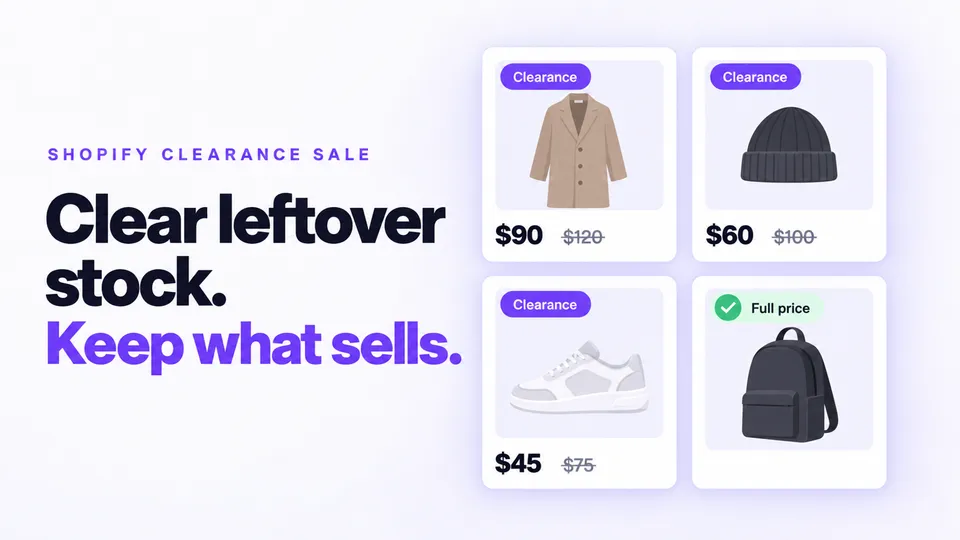
Leftover stock ties up cash and warehouse space. A Shopify clearance sale frees both with a discount that has an end date, on just the stock you need gone, while bestsellers keep their full price. Automatic markdowns lower each price in steps, for what's still unsold when the sale ends and for regular-range products that slow down one at a time. You can use both, one after the other.
In this guide
- Which products should go in a Shopify clearance sale?
- How much should you discount leftover inventory?
- How do you clear inventory on Shopify with a clearance sale?
- How do you set up automatic markdowns on Shopify?
- How do you promote an end of season sale on Shopify?
- Should you use a clearance sale or automatic markdowns?
- How do you measure a clearance sale's performance?
- FAQ
- Which should you set up first, a clearance sale or automatic markdowns?
Which products should go in a Shopify clearance sale?
A clearance sale fits a group of products that must go by a date: last season's stock, discontinued lines and overstock. Regular-range products that slow down one by one suit gradual markdowns instead. Keep bestsellers and new arrivals at full price, because they sell without a cut.
Storewide discounts give away margin on products that still sell. Shopify's retail markdowns guide says bestsellers "should keep their price integrity".
To find what to clear, go to Analytics > Reports and filter Category by Inventory. ABC product analysis grades variants by 28-day revenue (A-grade top 80%, B-grade next 15%, C-grade last 5%), so discount B- and C-grade products (Shopify Help Center).
How much should you discount leftover inventory?
Use the smallest cut that moves the stock. Shopify's retail markdowns guide puts a minimum markdown at around 10% to 15% and a maximum at up to 60%, and the sale price should stay above what you paid. One cut suits a dated clearance; progressive markdowns suit slow sellers.
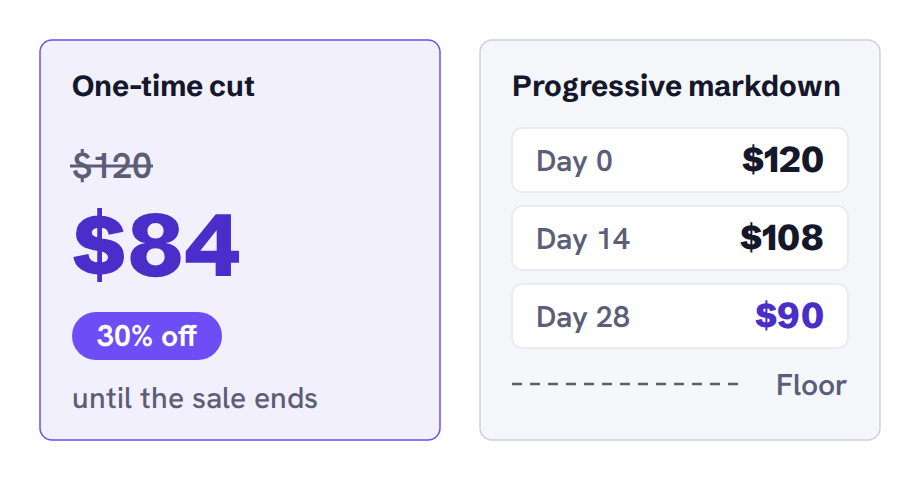
Take a $120 jacket. In a 30% clearance, it sells at $84 until the sale ends. On a progressive markdown, it drops 10% to $108 after 14 days unsold and 25% to $90 after 28, above a floor price you set. The one-time cut sells sooner, and the stepped one keeps more margin while the jacket might still sell.
Shopify's inventory aging guide suggests planned price cuts for stock 31 to 90 days old, on aging sizes or colors only, and converting stock to cash at 90+ days. So older stock gets a deeper cut.
| Group | Example discount | In Disco |
|---|---|---|
| Last season's leftovers (31–90 days) | 20% | Its own sale, tag last-season |
| Discontinued, or 90+ days | 40% | Its own sale, tag discontinued, or 40% on those products' rows in a Different discounts sale |
| Bestsellers and new arrivals | Full price | Excluded |
For tiers by age, click Create sale and choose Different discounts.
Each row in the sale's Products card has its own Discount field, so give the oldest stock the deeper cut.
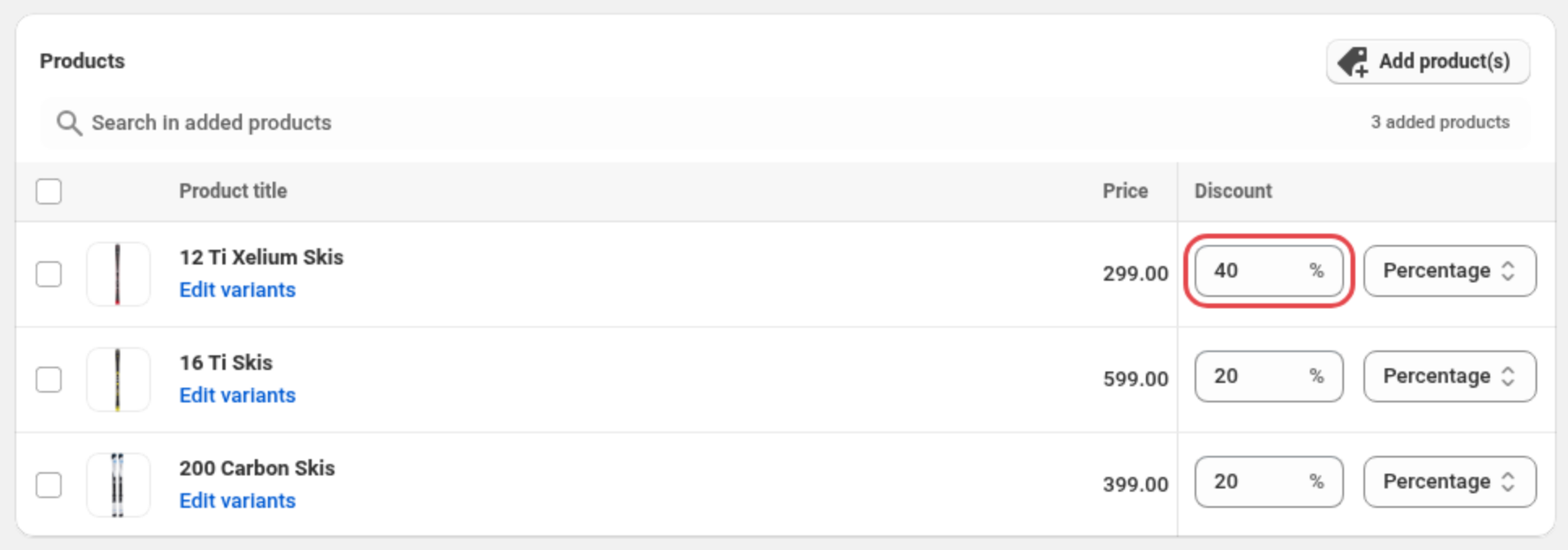
To filter products by tag or exclude collections, run one Same discount sale per age group instead, because only Same discount sales offer both.
How do you clear inventory on Shopify with a clearance sale?
To clear inventory on Shopify with Disco, create one sale for your clearance products: pick them by tag, collection, product type or vendor, exclude bestsellers and new arrivals, and set an end date. Shoppers see the sale price with the original struck through until Disco puts the prices back at the end.
In Shopify you can build a collection with tag, type or vendor conditions and give it an Amount off products automatic discount. But discounts apply in the cart and at checkout, so crossed-out prices on product and collection pages need a third-party app (Shopify Help Center). Disco resolves this by writing the sale and original prices into each product's Price and Compare-at price.
How to set up a clearance sale in Disco
- Create the sale. Click Create sale and choose Same discount.
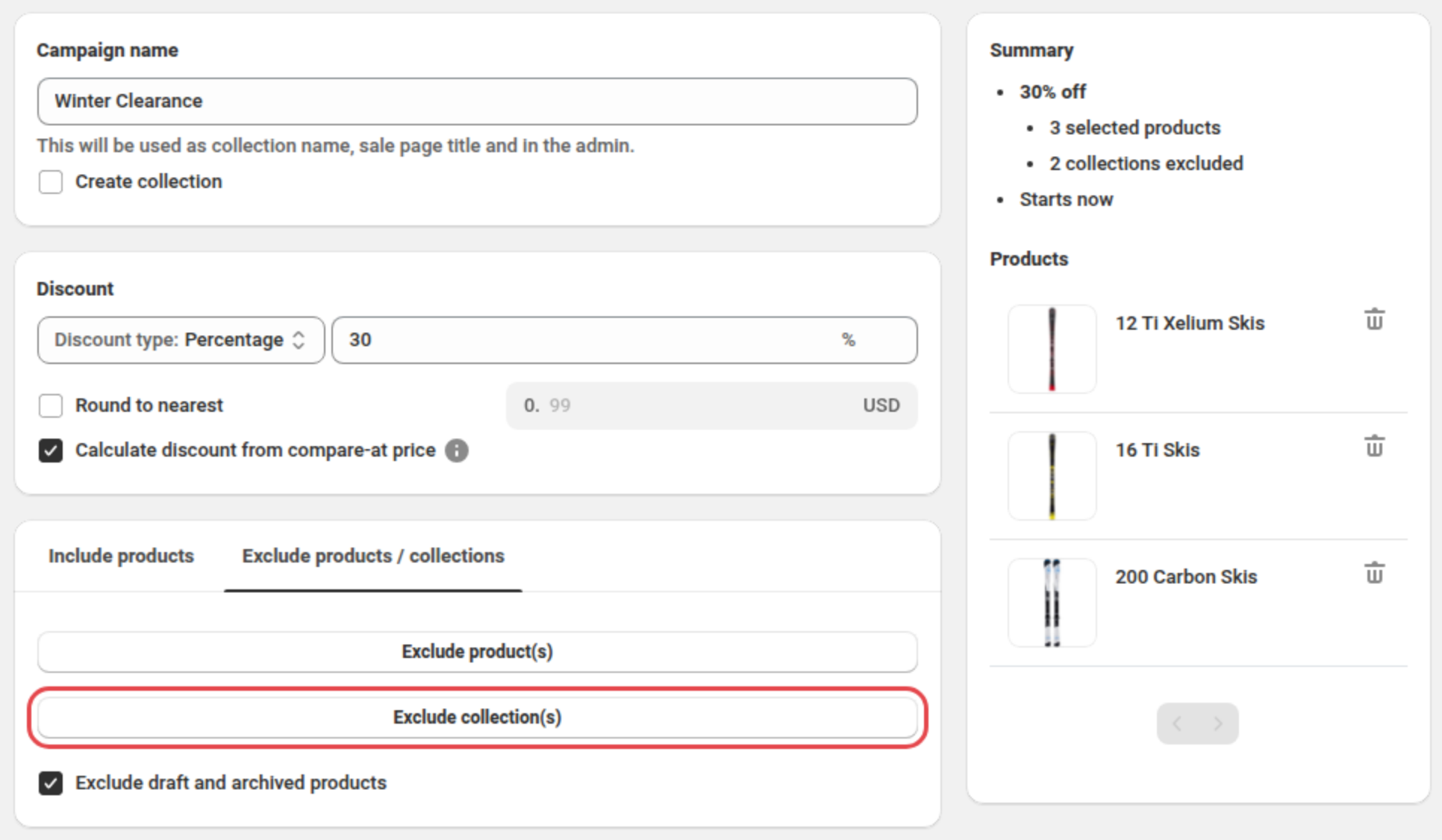
- Name it. In the Campaign name card, type "Winter Clearance".
- Set the discount. In the Discount card, keep Percentage and enter your cut, such as 30.
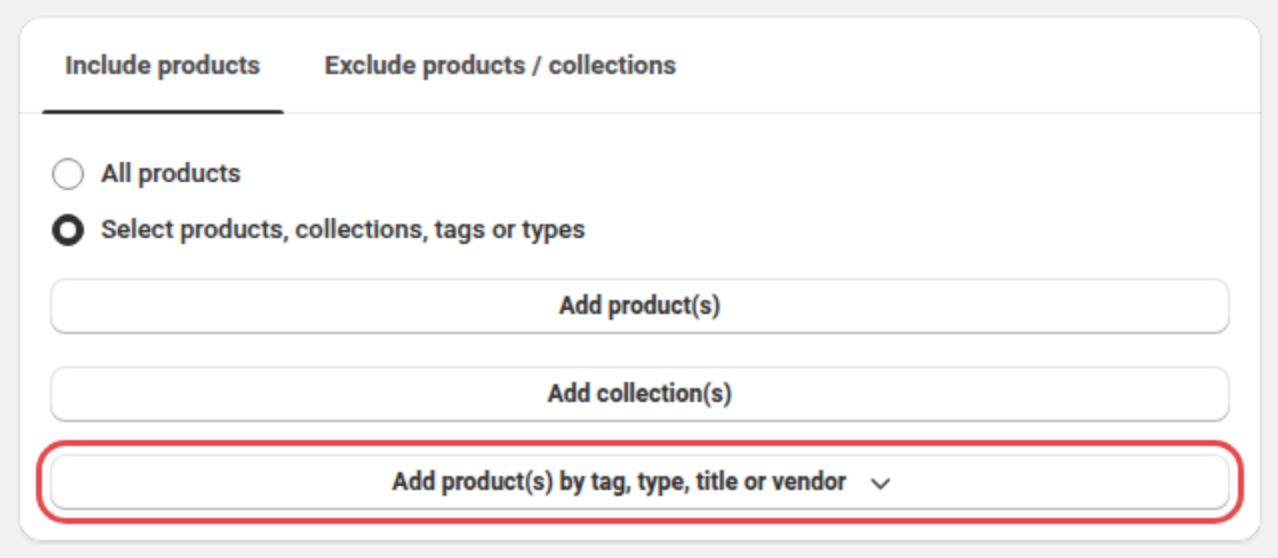
- Pick the clearance products. On the Include products tab, choose Select products, collections, tags or types. Click Add product(s) by tag, type, title or vendor and set the tag
last-seasonin the filter it opens.
- Keep bestsellers and new arrivals at full price. Open the Exclude products / collections tab and click Exclude collection(s). Tick your Bestsellers and New arrivals collections in Shopify's picker and confirm. Exclusions beat inclusions.
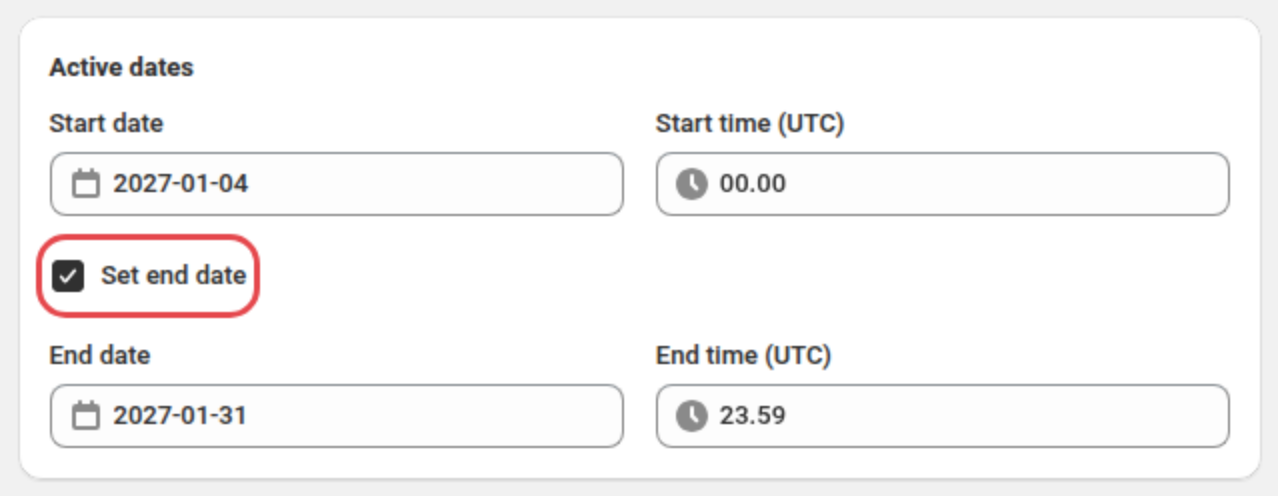
- Set the dates. In the Active dates card, set Start date and Start time. Tick Set end date and set End date and End time.
- Save the sale. To add auto tagging or Disco's sale widgets, follow the how-tos below first. Then click Next through the remaining pages and Save.
How to fill a clearance collection with Disco's auto tagging
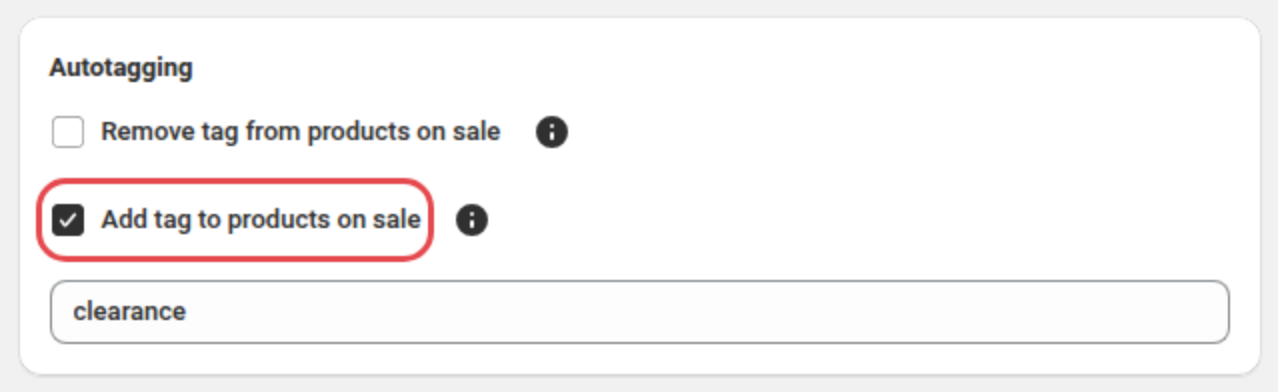
- Tag the sale's products. Before you save Winter Clearance, scroll to its Autotagging card, tick Add tag to products on sale and replace
on-disco-salewithclearance.
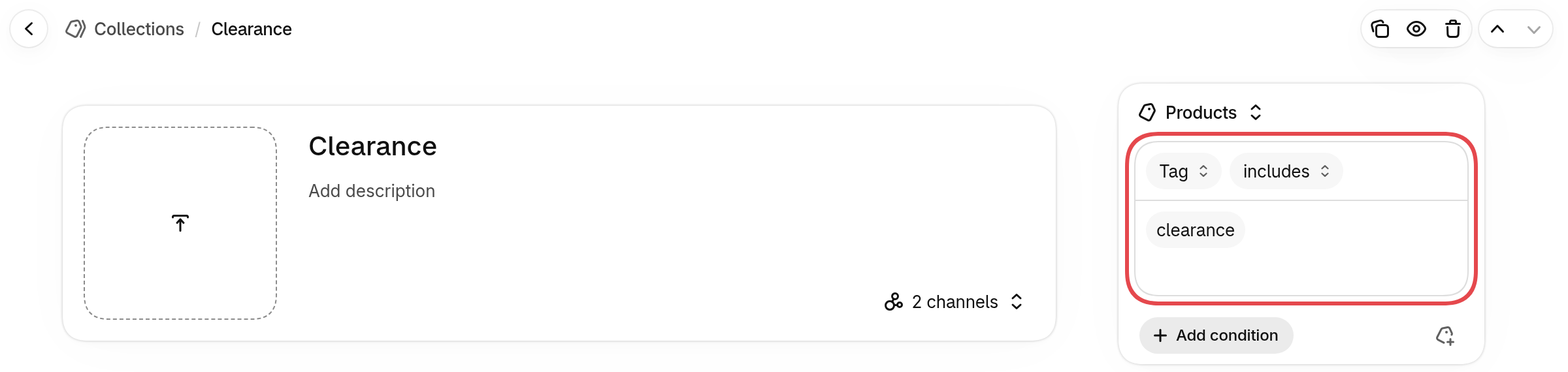
- Create the collection. With the sale still open, go to Products > Collections in a new Shopify admin tab and click Add collection. Then click Add title and name it "Clearance".
- Add the tag condition. In the Products source, click Add condition, choose Tag and select
clearance(Shopify Help Center).
- Save the collection. Click Save.
- Add it to the menu. Go to Content > Menus and open your menu. Click Add menu item and name it "Clearance". In Search or paste a link, choose Collections and select Clearance. Then click Add and Save menu (Shopify Help Center).
For a collection without auto tagging, tick Create collection in the sale's Campaign name card. Disco then builds a collection of the sale's products, named after the sale.
Set up your next clearance sale with Disco →
How do you set up automatic markdowns on Shopify?
Automatic markdowns on Shopify run through an app such as AutoMarkdown, which lowers prices on products that aren't selling. You set rules for days without a sale, discount percentage and a floor price, by collection, product type or vendor. Prices then drop step by step down to your floor, which is a clean fit for leftover stock after a clearance sale ends.
In Shopify you can bulk-edit Price and Compare-at price by hand (Shopify Help Center), but you track yourself when each product last sold, which a large catalog outgrows. AutoMarkdown's rules take that over, and the original price comes back once a unit sells.
AutoMarkdown has a generous free plan: 50 tracked products and 2 rules of 3 steps each, checked every 24 hours. Targeting by collection starts on the $9/month Growth plan.
How to mark down clearance leftovers in AutoMarkdown
- Wait for the clearance to end. Disco puts the pre-sale prices back when Winter Clearance ends, so the leftovers are free for a markdown rule.
- Create a rule for the leftovers.
- Choose the products. Target them by collection, product type or vendor, or pick them one by one on the free plan.
- Add the steps. Give each step its days without a sale and its discount, such as 10% after 14 days and 25% after 28.
- Set the floor. Enter a floor price above your unit cost.
- Save the rule.
Mark down your clearance leftovers with AutoMarkdown →
How do you promote an end of season sale on Shopify?
Promote an end of season sale on Shopify with Disco's timer, badges and bar, in your menu, on the homepage and by email, until one fixed end date. Launch it right after Cyber Monday (from December 1, 2026), in January or at the end of each season before new stock lands.
In Shopify you can use your theme's Announcement bar section (Shopify Help Center), but it has no end date, so you hide it yourself when the sale ends. Disco resolves this by showing its widgets only while the sale runs.
How to promote a clearance sale in Disco
- Open the promotion page. Before you save Winter Clearance in the Disco setup above, click Next to reach the Highlight your sale on store pages page.
- Add a countdown. In Countdown timers, turn on Show countdown timer on product page. It needs the sale's end date.
- Badge the products. In Sale badges, tick Show sale badge on product images, so collection pages show each saving.
- Announce it. In Active sale announcement bar, turn on Show while the sale is active. Then fill in Left text.
- Feature it on the homepage. In Hero banner, choose Homepage.
- Save it. Click Next, then Save.
Every end of season sale Shopify stores run needs a hard end date, because Shopify's markdown guide warns that open-ended promotions "train customers to never pay full price".
For EEA shoppers, a price reduction must show the lowest price charged in the last 30 days, and earlier promotions count (Shopify Help Center). So a clearance right after Cyber Monday counts the Black Friday price, as our Omnibus directive guide explains.
Should you use a clearance sale or automatic markdowns?
Use a clearance sale when a group of products has to go by a date, and automatic markdowns for what's left when it ends and for regular-range products that slow down one at a time. You may need both, one after the other and never on the same products at the same time, because both apps change the price.
| Your stock | Use | Why |
|---|---|---|
| Winter coats left in January, spring stock due in March | A Disco clearance sale that ends before the new stock lands | One group, one deadline |
| A discontinued line you won't restock | A Disco clearance sale | It has to go, and the end date keeps the sale short |
| Overstock from Black Friday | A Disco clearance sale right after Cyber Monday | It's already a batch with a date |
| What's left when a clearance sale ends | An AutoMarkdown rule with a floor | Prices drop step by step to your floor |
| A few styles in your core range that stopped selling | An AutoMarkdown rule with a floor | Each product drops on its own clock |
| One-of-a-kind or consignment items | An AutoMarkdown rule | Each item ages on its own |
| Bestsellers and new arrivals | Neither | They sell at full price |
On the same product, Shopify keeps whichever app wrote the price last, so one overwrites the other (help doc). Start a markdown rule on clearance leftovers only after the sale ends. For your next Disco sale, put markdown products in their own collection and exclude it with Exclude collection(s).
How do you measure a clearance sale's performance?
Track four numbers, all in Shopify's reports: the sell-through rate, the cash the sale brought in, the margin you kept and the stock still left. Check them when the sale ends to see what each cut cost you, then decide what happens to the rest.
In the Inventory reports, Products by sell-through rate shows the share of stock sold. Inventory remaining per product estimates how many days the rest will last. Total sales by product (category Sales) shows net sales, the cash recovered.
For margin, add a Cost per item to your products. Gross profit by product (category Profit Margin) then reports the margin from what each unit sold for, not the full price the product page uses (Shopify Help Center).
What's left at the end can go into an AutoMarkdown rule. Whatever still doesn't sell at its floor price is dead stock. Shopify's dead stock guide suggests bundling it with popular products, liquidation when you need cash and space quickly, or donating usable goods.
FAQ
How to clear inventory on Shopify without losing money?
Keep each sale price above what you paid, as Shopify's retail markdowns guide advises, and discount only the stock that has to go. Once each product has a Cost per item, the Gross profit by product report shows the margin you kept.
When is the best time for an end of season sale on Shopify?
The best times for an end of season sale on Shopify are right after Cyber Monday, in January, and at the end of each season before new stock arrives, always with a fixed end date.
Should leftovers from a Shopify clearance sale go to automatic markdowns?
Yes, once the clearance has ended. Disco puts the pre-sale prices back when the sale ends, and a markdown app such as AutoMarkdown then lowers what's left step by step down to your floor price. Never run both on the same products at the same time.
Which should you set up first, a clearance sale or automatic markdowns?
Start with the stock that has a deadline. Leftovers that must go before new stock lands need a Disco clearance sale with bestsellers excluded and an end date. What's still unsold when it ends, and slow sellers in your regular range, then go into an AutoMarkdown rule with a floor above cost.
Next: Learn how to schedule a Shopify sale that starts and ends automatically and how Shopify compare-at prices work.